Studio software for
real estate photographers.

Manage bookings, schedule your crew, deliver branded galleries and send invoices from one workspace.

14-day free trial No card required

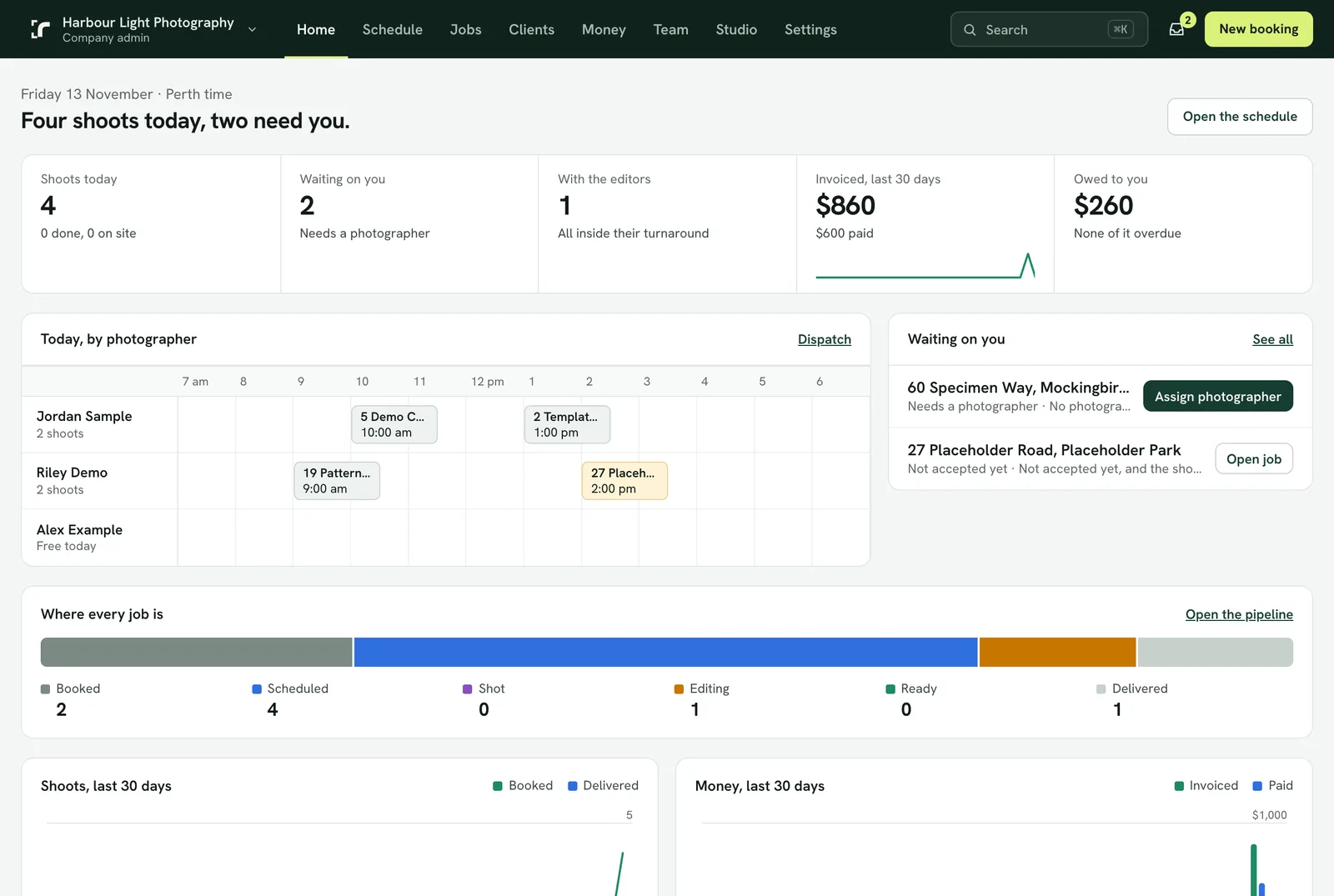
Studio laptop showing the Realees shoot schedule by photographer in the demo workspace.
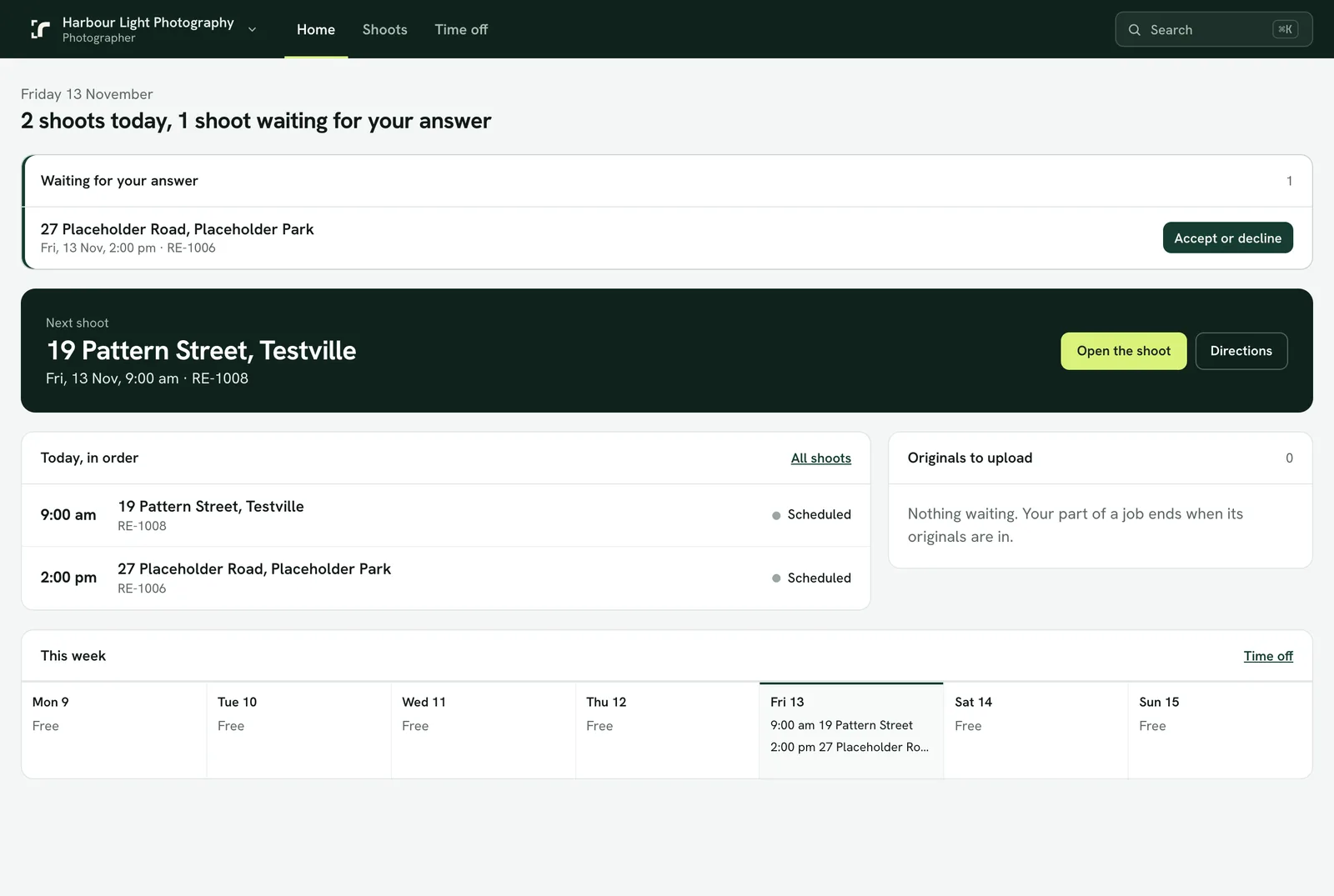
Tablet showing the photographer’s next shoot and weekly schedule in Realees.
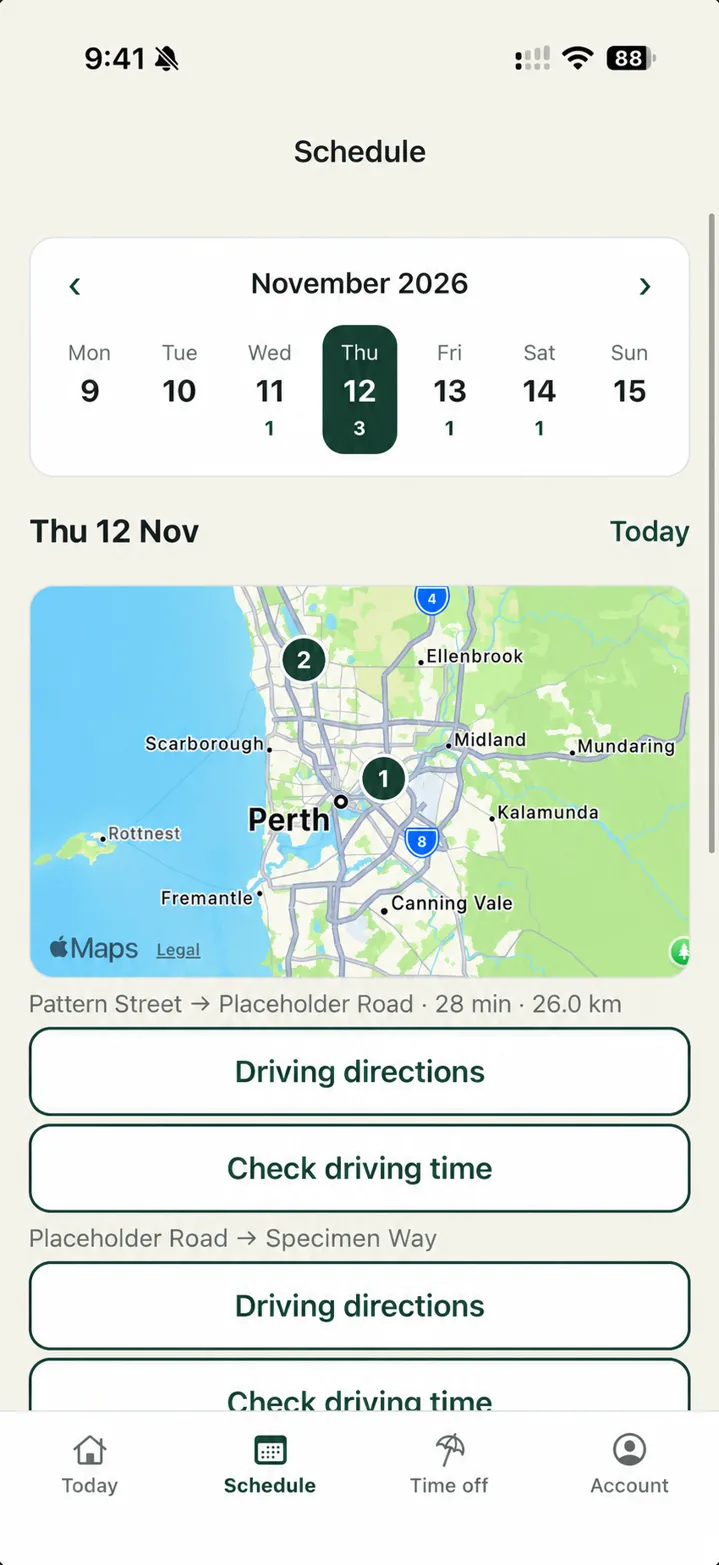
Realees photographer Schedule screen with the weekly calendar, property map and travel times. Addresses adapted for the demo.
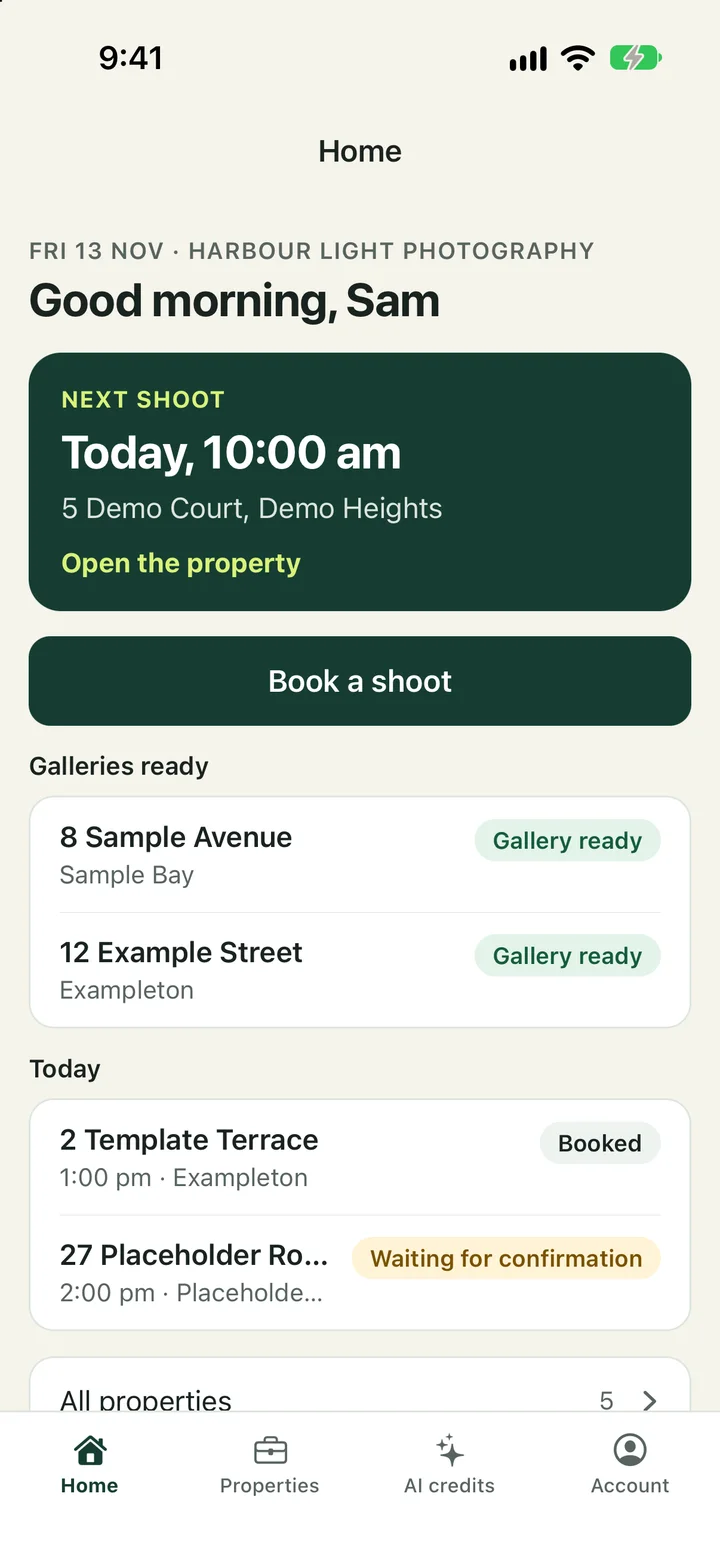
iPhone showing the Realees agent app with upcoming shoots and ready galleries.
Book · Shoot · Edit · Deliver

Mobile tools for photographers and agents

Submitted for reviewApp StoreSubmitted for reviewGoogle Play

Photographer app

Shoot schedules and access notes

Check directions and property access. Update the studio and agent when you arrive or finish.
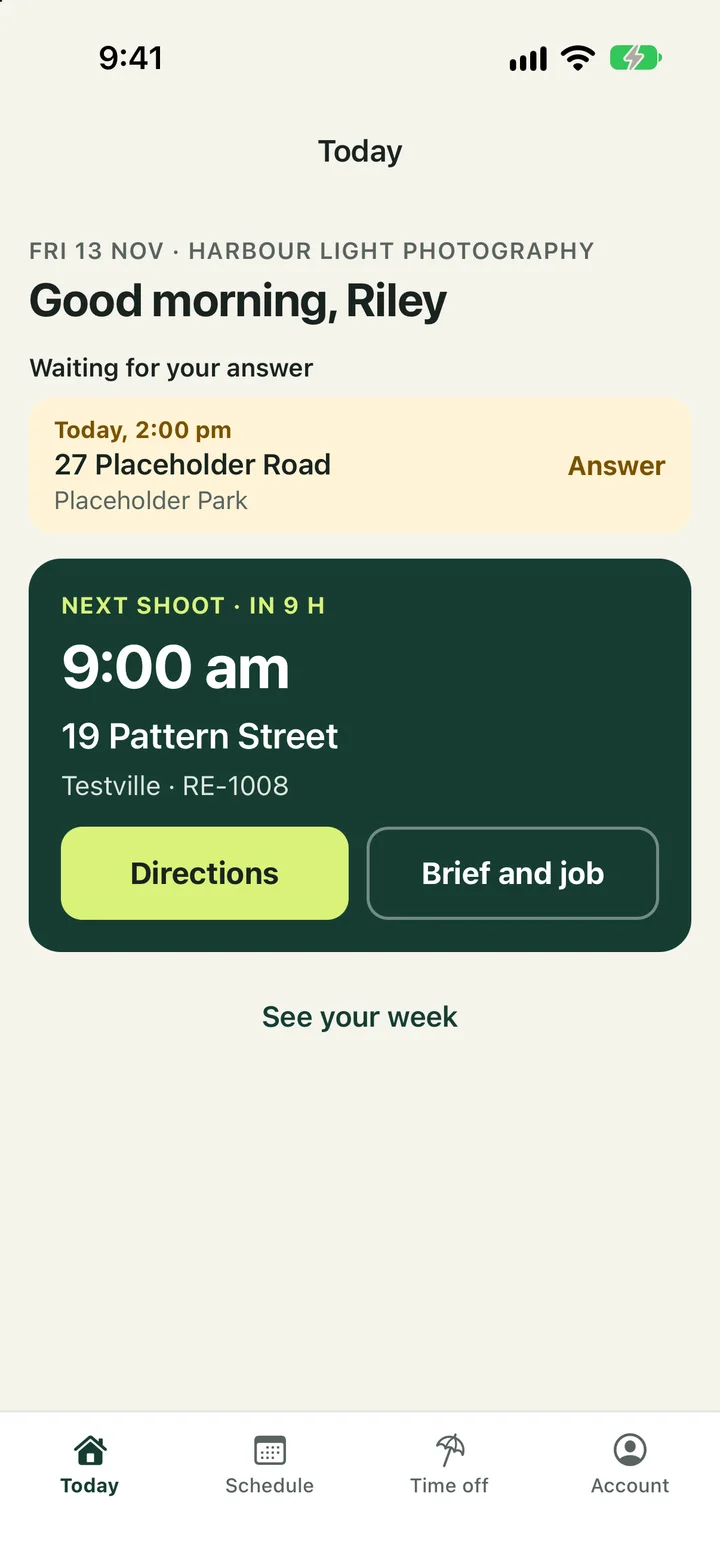
The Realees mobile app showing the photographer’s next shoot, directions and job brief.

Agent app

Booking and gallery access

Request shoots, check booking status and open delivered galleries.

The Realees agent app with a booking shortcut, upcoming shoots and galleries ready to open.

Bookings, scheduling and delivery

For photographers

Schedule shoots with travel time

  • Travel and setup. Use estimated driving times and set a buffer between shoots.
  • Job details. Check assigned shoots, property details, access notes and directions from your phone.
  • Assignments and availability. Accept or decline assignments, mark arrival and completion, and request time off.
Photographer workspace showing the next shoot and weekly schedule.
Realees photographer Schedule screen with the weekly calendar, property map and travel times. Addresses adapted for the demo.

For agents

A client portal for each property

  • Book with the right details. Choose services and add-ons, enter the property brief and request a shoot time.
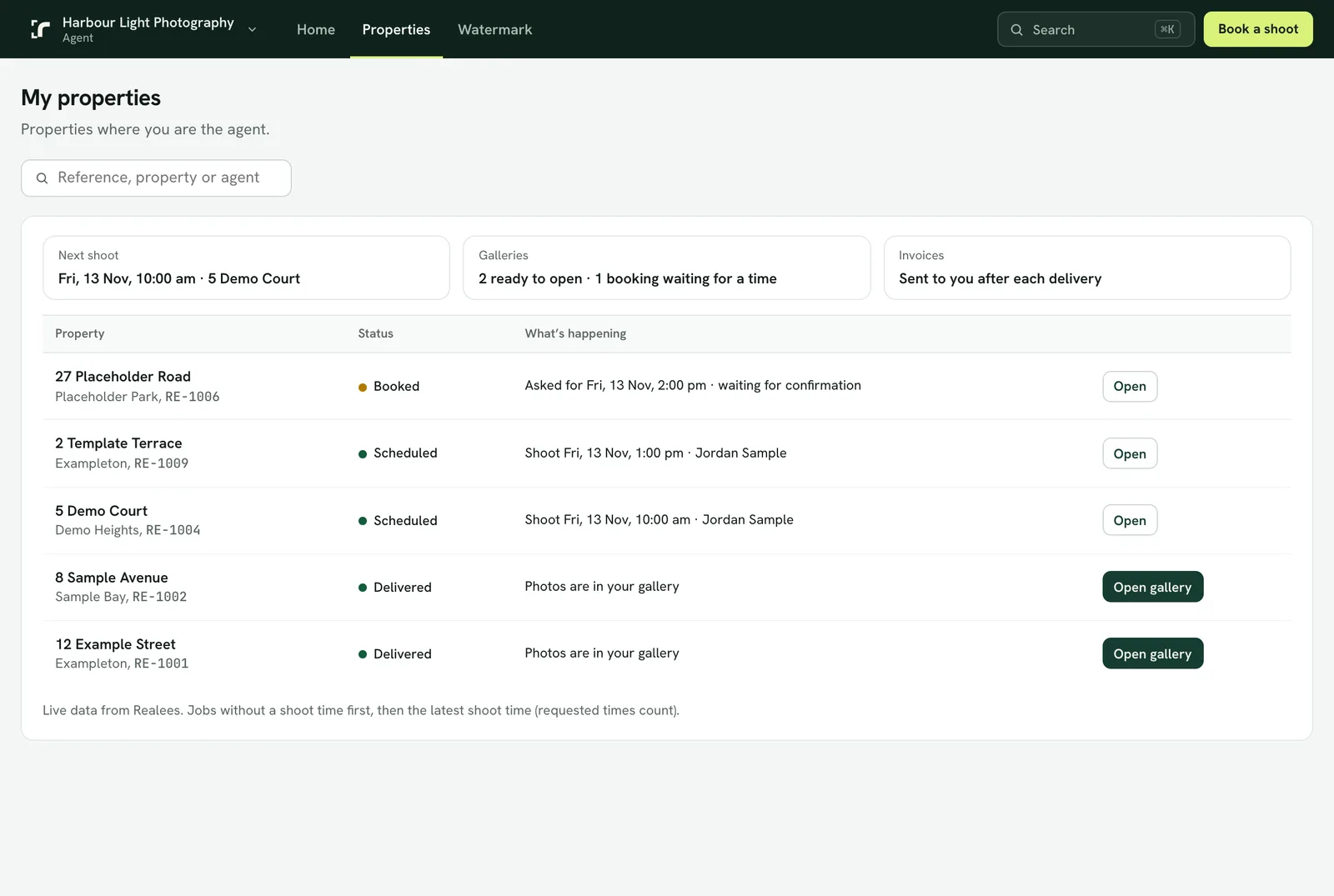
  • Follow each listing. Check upcoming bookings and job status.
  • Find the finished work. Reopen delivered galleries and download listing media from the property portal.
Agent property portal with upcoming shoots and completed galleries.
Realees agent iPhone app showing upcoming bookings and galleries ready to view.

For studio owners & admins

Set your service areas and pricing

  • Service maps and crew coverage. Draw service areas, list localities or set a travel range for each photographer.
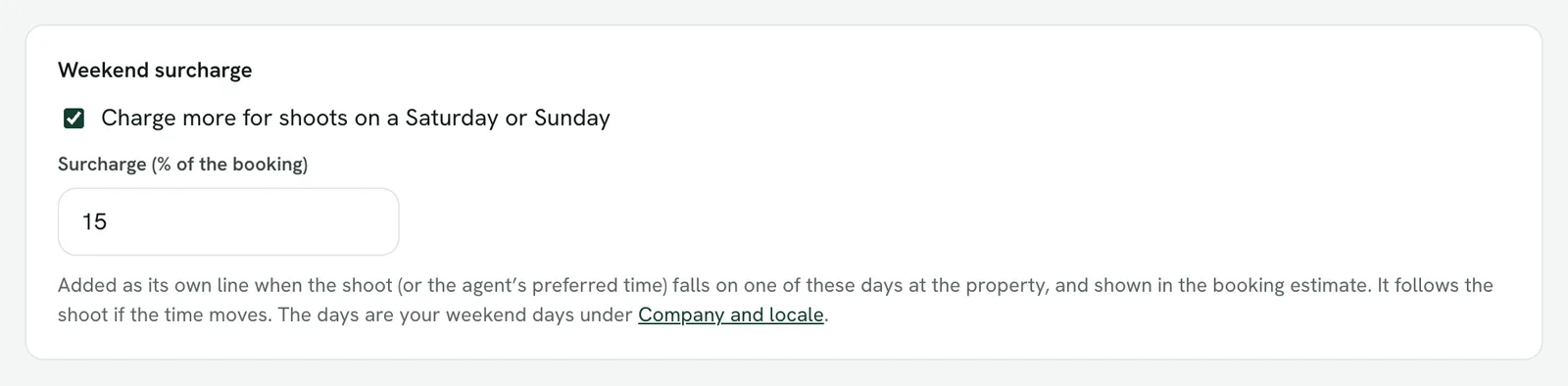
  • Travel and weekend charges. Define your free-travel zone, distance and time rates, minimums and weekend surcharge.
  • Late changes and cancellations. Set cancellation and reschedule fees that clients can see before booking.
  • Pricing that fits your clients. Manage packages, add-ons and client-specific prices alongside invoices and payment status.
Realees travel policy settings for free-travel coverage and surcharges.

Integrations and AI editing

StripeDropboxXeroQuickBooks

Dropbox for originals

Connect your studio’s Dropbox to keep RAW files in job folders your team can work from.

Payments and accounting

Take card payments through Stripe and connect Xero or QuickBooks Online for invoice sync.

Realees AI Studio

Offer day-to-dusk edits, digital grass and virtual staging from your own property photos.

Explore AI Studio

Frequently asked questions

Can I use Realees on my own?

Yes. Manage your own bookings, shoots and delivery. If you bring in a photographer or editor, they can have their own workspace access.

Do agents need an account?

Agents can open private gallery links without signing in. An agent account gives them a property portal for bookings and previously delivered galleries.

Can I use my own packages and editing software?

Yes. Set your own packages, prices and add-ons. Editors can work in their usual tools, then upload the finished media to Realees.

What’s included in the free trial?

Try Realees for 14 days with 6 AI credits and your first 5 delivered listings free. No card is required to start.

Set up your studio