Realees AI Studio
AI editing for
real estate photos.
Create twilight exteriors, refresh lawns and virtually stage empty rooms.
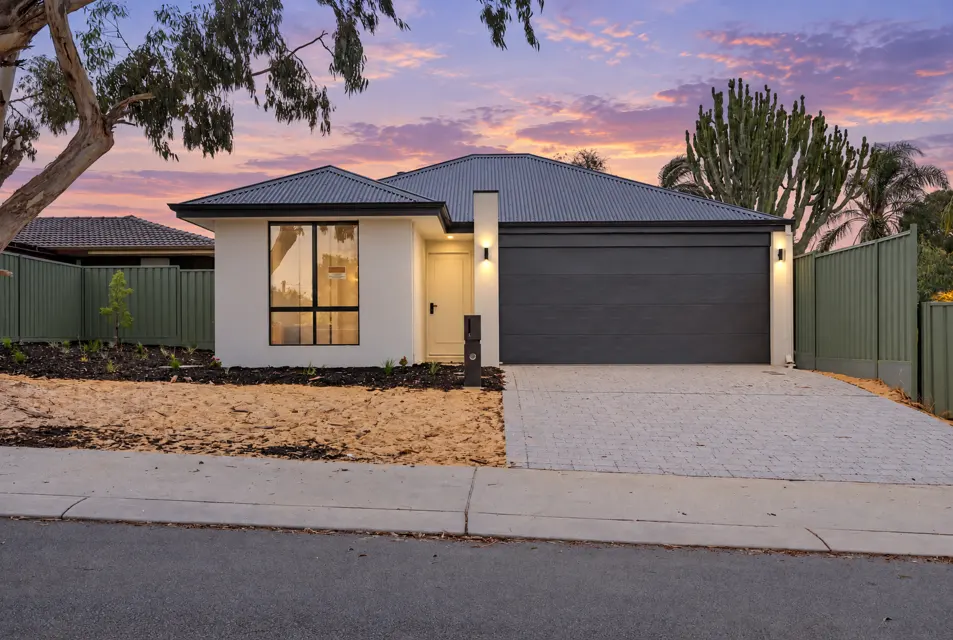
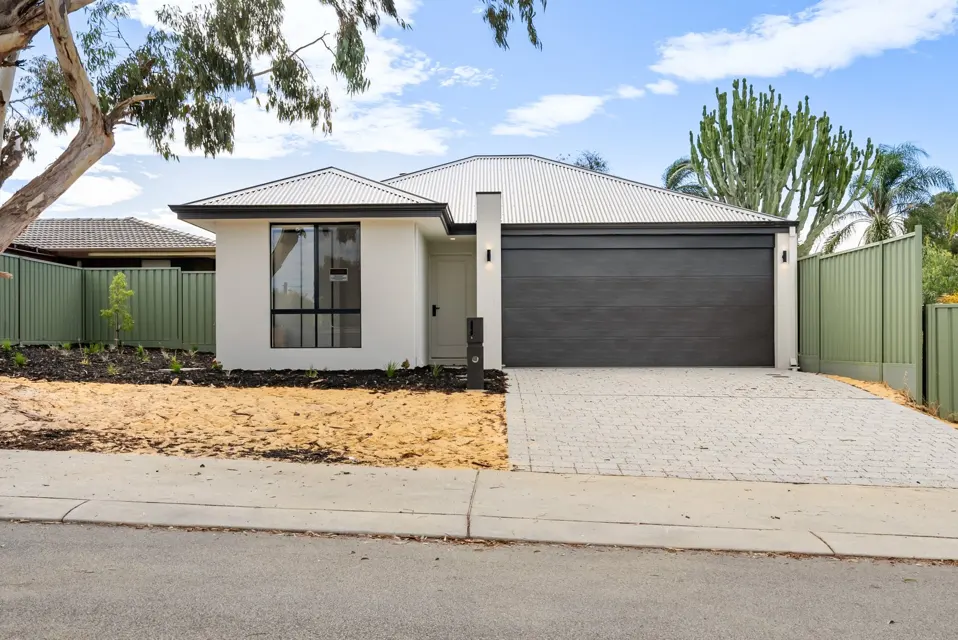
Drag the slider or use the arrow keys to compare.
Editing tools
Day to dusk
Give a daylight exterior a twilight sky and warm window light without a second visit. 1 or 2 credits a photo.
Digital grass
Show how a dry or patchy lawn could look with an even, green finish. 1 or 2 credits a photo.
Virtual staging
Show buyers how an empty room could look furnished. Pick a style and match the other angles to the first. 3 credits an angle.
How it works
- 1
Upload
JPEG, PNG or WebP, up to 20 at a time, from your phone or computer.
- 2
Choose
Pick the edit and, for staging, the room and the style. Choose Medium or High quality; staging is always High.
- 3
Download
Web size for the listing and social media, full size for print. Credits are taken only when the edit is delivered.
AI Studio plans and credits
Edit one photo free with no card. Then choose a monthly plan or buy a credit pack. Unused monthly credits roll over for one month.
Prices are in AUD for Australia and New Zealand. GST-inclusive totals apply to Australian customers. View USD prices for other markets.
Starter
AI editing for an agent or a small office.
- 20 AI credits a month
- 20 GB storage
- Projects kept 6 months
- Day to dusk, grass, staging
- Web-size and full-size downloads
Professional
More edits every month, the same tools.
- 75 AI credits a month
- 100 GB storage
- Projects kept 6 months
- Day to dusk, grass, staging
- Web-size and full-size downloads
Credit pack
Top up any plan.
- 20 AI credits
- Good for 60 days
- Buy as many as you need
AI Studio FAQs
- Is this the same AI Studio a photography company has?
- Yes. In Teams, AI Studio works with delivered galleries. With a standalone AI Studio account, you upload your own photos.
- Do I need a photographer?
- No. Any good daylight photo works, from a camera or a recent phone. For the best dusk result, shoot with the windows and lights visible.
- What do I get back?
- A new file beside your original, up to 4096 pixels on the long edge, at web size and full size. Your original is never changed.
- What if an edit goes wrong?
- Credits are returned for a failed edit. If a result isn’t right, ask for a re-run from the project; the first re-run is free.
- Where are my photos kept?
- In Sydney, Australia, privately. Location data is removed from a photo before it is sent to an editing engine.
- Can I use it in the app?
- Yes. The Realees app opens with a choice between Realees Teams and Realees AI Studio; sign up or sign in there with the same email, add photos from your phone and save the results to it. Plans and packs are bought here on realees.com.
- What if I stop paying?
- New edits pause while a payment is outstanding, and you can still view and download. After 14 days unpaid the Studio is suspended; your photos are kept for 90 days after that, then deleted.