Your sign-in belongs to Realees and can be part of more than one photography company. So there are two different things you can do. Both are at realees.com/delete-account when you are signed in, and in the app under Account → Leave company or delete account.
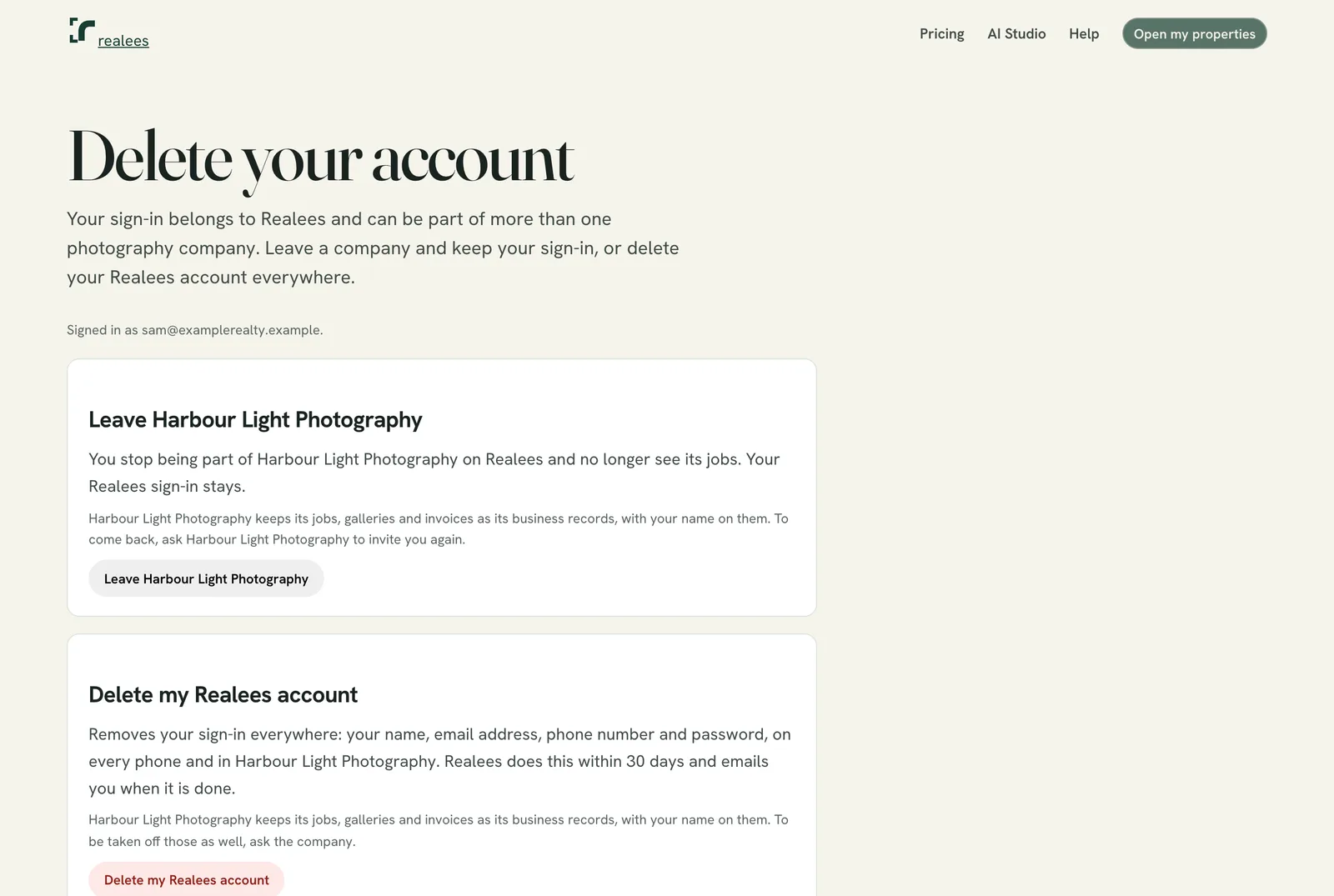
Leave a company
- Press Leave beside the company. You no longer see its jobs; your sign-in and any other company stay as they are.
- You can't undo leaving yourself. To come back, ask the company's admin to invite you again.
- The company's admins get an email saying you left.
- The company keeps its jobs, galleries and invoices with your name on them.
- Three people are asked to do something first: the company's only admin (make someone else an admin), a photographer or admin with shoots coming up (the company hands them over), and an AI Studio's owner (cancel the plan and delete the account instead).
Delete your account
- Press Delete my Realees account. The request is recorded and the page shows its date.
- Realees deletes the account within 30 days. Until then the account still works, and Keep my account withdraws the request. It does not put you back in a company you left.
- Deleted: your name, email, phone number and password, your sign-in on every phone, and your private notes.
- Kept by each company: its jobs, delivered photos and invoices, as its business records.
- An AI Studio owner should cancel their plan first, from Plan and credits.
Can't sign in?
Email support@realees.com from the address you sign in with, with the subject "Delete my Realees account".