Choose a plan or buy a pack from Plan and credits in your Studio. Payments are made on the web, through Stripe. The page always shows the prices that apply to you. The app shows your plan and your credits, but nothing is sold in it: plans and packs are paid on realees.com. On an iPhone or iPad, Upgrade on Plan and credits opens realees.com in your browser: sign in with the same email, choose a plan or a pack, and it shows in the app within a minute. On Android, open realees.com in a browser yourself and sign in.
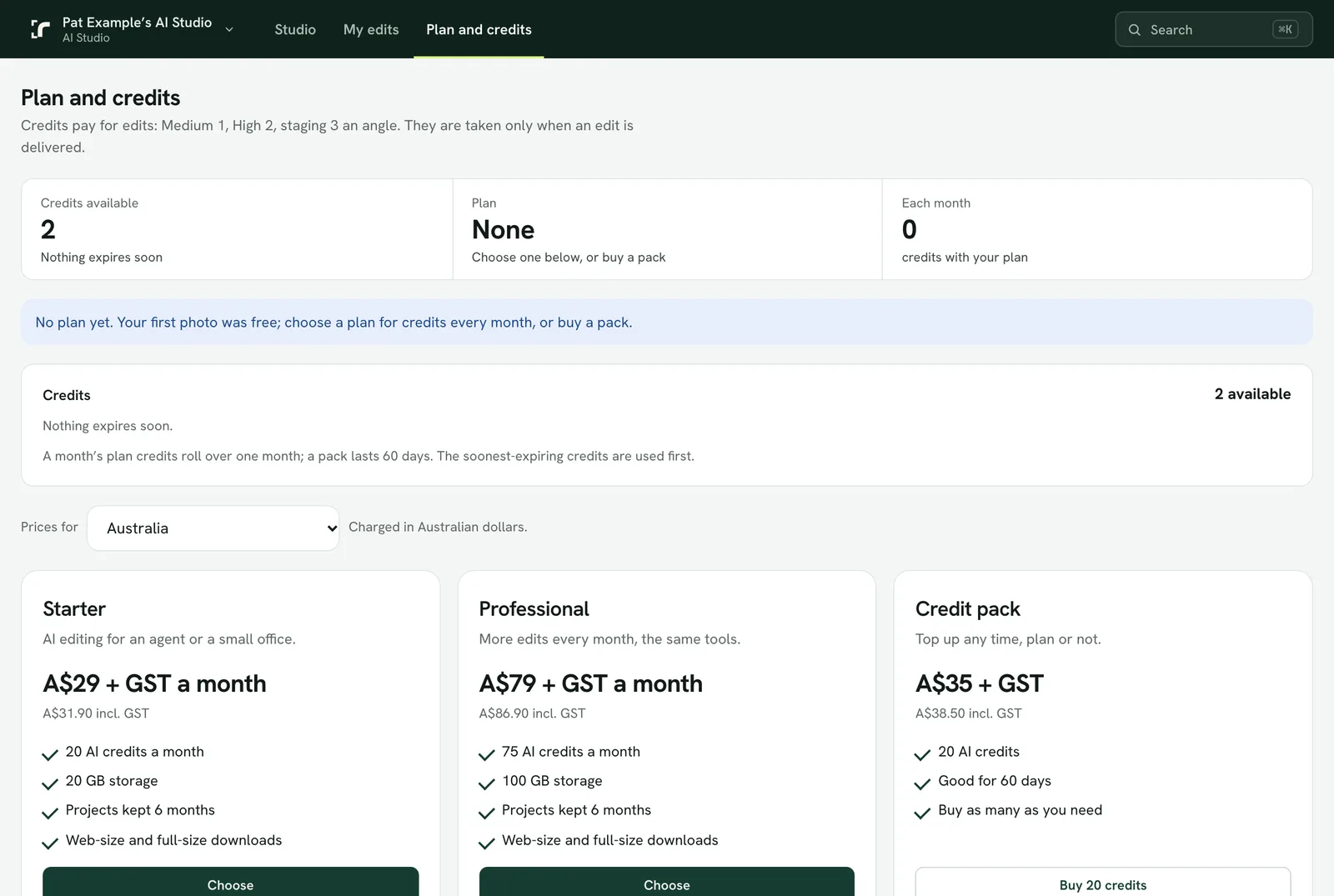
Prices
In Australia and New Zealand, prices are in Australian dollars:
- Studio Starter: A$29 + GST (A$31.90 in total) a month, 20 credits a month.
- Studio Professional: A$79 + GST (A$86.90 in total) a month, 75 credits a month.
- Credit pack: A$35 + GST (A$38.50 in total), 20 credits, used within 60 days of buying.
Everywhere else, prices are in US dollars with nothing added: US$19 a month for Starter, US$52 for Professional, US$23 for the credit pack. Your country is set at sign-up and can be changed on Plan and credits.
20 credits is 10 High dusk or grass photos, 20 on Medium, or 6 staged angles.
When credits expire
- A month's plan credits roll over once: unused ones expire a month after that billing period ends.
- A pack's credits expire 60 days after you buy it. The credits that expire soonest are used first.
- Plan and credits shows your balance and what expires when.
Payments and your photos
- Finished projects are kept 6 months.
- If a payment fails, the Studio is paused: you can still view and download, but not order new edits. Update the card in Manage billing and it unlocks when the payment goes through.
- After 14 days unpaid the Studio is suspended, and its files are deleted 90 days after that.
- To cancel, use Manage billing. When Realees refunds is at realees.com/refunds.