Realees AI Studio is AI editing on your own photos, for agents, offices and anyone selling property, without a photography company. If a photography company already delivers your photos through Realees, you have the same edits there as AI Studio.
Getting started
- Sign up at realees.com/dusk-studio/sign-up, or choose Realees AI Studio in the app. Choose your country, confirm your email and your Studio is ready, with 2 free credits: one High-quality dusk or grass photo.
- On the web, the Studio has three pages: Studio, to order edits; My edits, to see and download them; and Plan and credits.
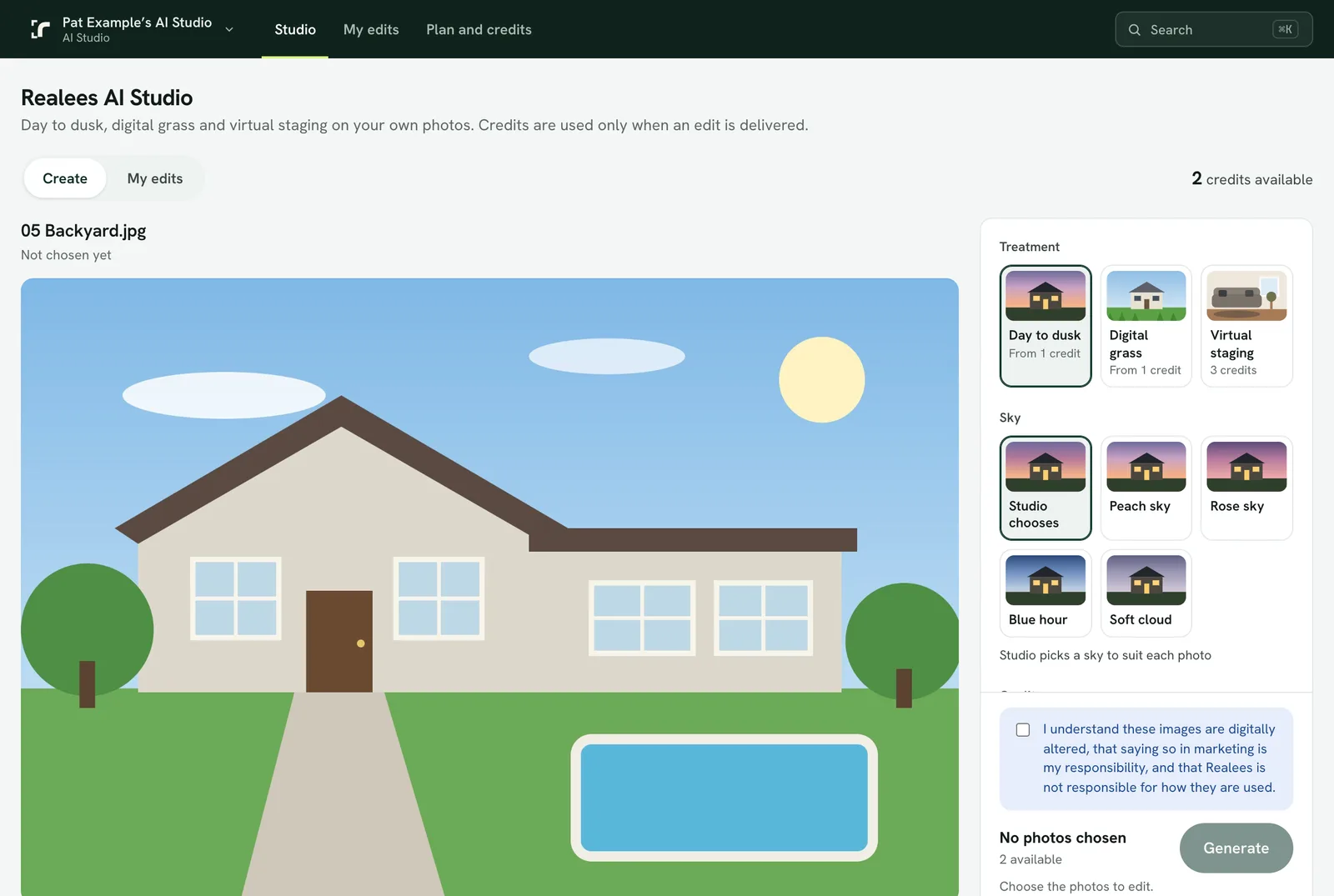
Order an edit
- Add photos down the left: drop them there or choose Add photos. JPEG, PNG or WebP, up to 25 MB each and 20 at a time.
- Tick the photos to edit, or Select all. The one you click shows large in the middle, before and after once it has an edit.
- Choose the edit on the right: Day to dusk with a sky, Digital grass, or Virtual staging with a style, the room and whether to keep the furniture. Medium costs 1 credit and High 2; staging is 3 credits an angle, High only.
- The Generate button stays in view and shows how many photos are chosen, what they cost and your credits before and after. Edits take a few minutes; the app sends a notification when one finishes.
My edits
- Every edit is listed with where it's up to: waiting, editing now, done, or didn't finish (its credits are returned).
- Open a finished edit to compare it with the original: drag the slider, or use the arrow keys. Zoom in to check the detail.
- Download at Web size (for listings and social posts) or Full size (for print). To save several, tick them and download them as one ZIP.
- Remove photos or edits you no longer want. They can be restored for 60 days from Removed, or deleted for good there.
Good to know
- Credits are held when you order, used when the edit is delivered, and returned if it does not finish.
- When Medium quality is temporarily unavailable, choose High.
- Edits are digitally altered images: saying so in your marketing is your responsibility.