Invoices are made from a job, sent by email, and marked paid by hand or by a connected payment service. Each is a tax invoice in your company's currency with your tax shown at your rate; a company that doesn't charge tax shows none.
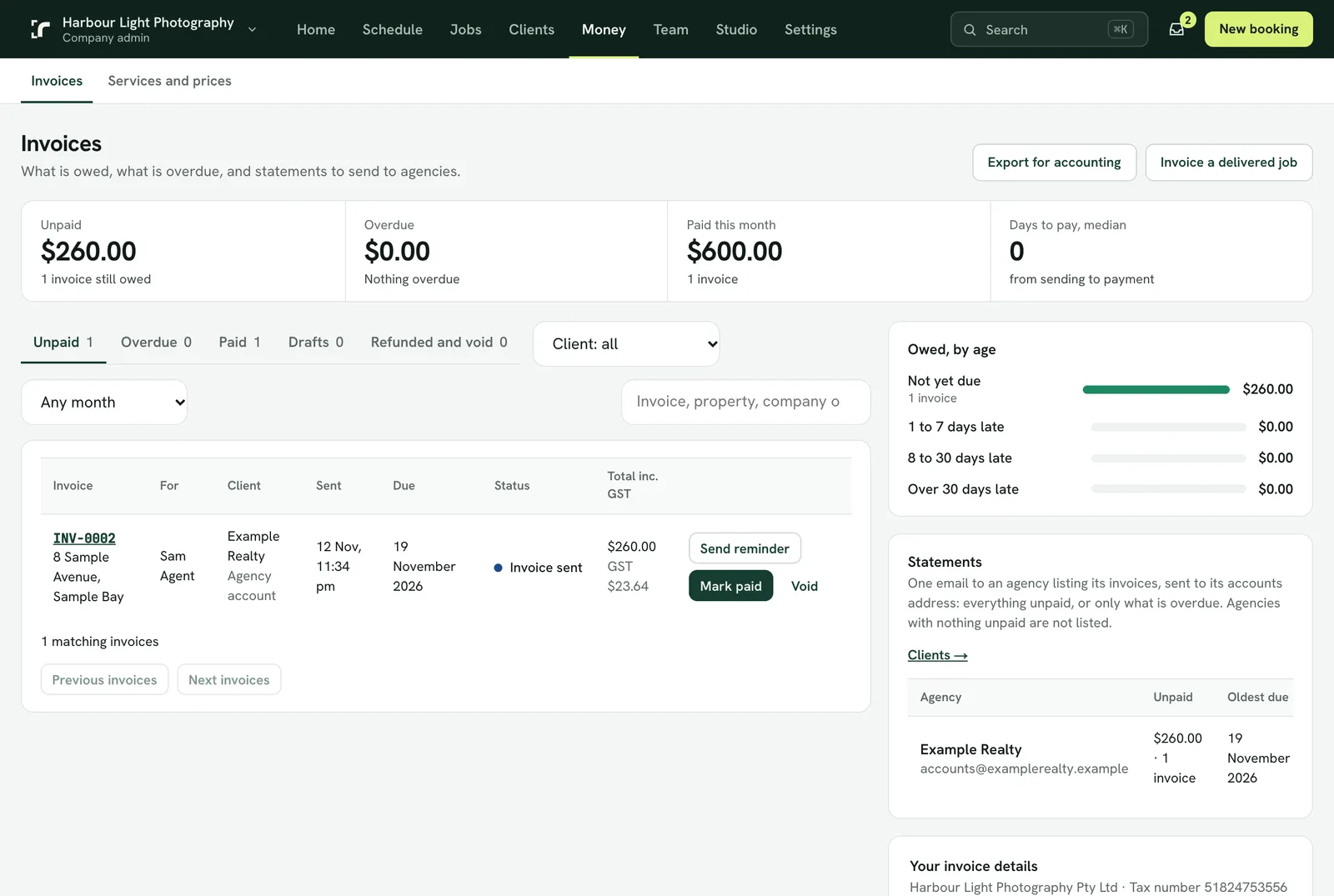
- Your invoice details on the Invoices page hold the trading name, tax number, address and payment instructions that print on every invoice. Fill them in before the first one.
- The invoice goes to the agency or the agent, as set under Clients. Add copies under "Also email a copy to".
- The job page's Price and payment panel shows the price, the invoice, whether it is paid and when it is due, with Open invoice and Send again.
- Reminders go out on the days you choose after the due date (3 and 14 by default), and Send reminder sends one now.
- Statements email an agency one list of its unpaid invoices, or only the overdue ones. Each job still has its own invoice.
- Discounts are their own line, as a percentage or an amount.
- Refunds: a paid invoice is refunded, not voided, in part or in full. A card payment goes back to the card through your Stripe account; any other payment you return yourself and Realees records it. A full refund ends the invoice and the job can be invoiced again.
- Saving an invoice as a PDF from the browser names the file after the invoice.
- Export the list as a CSV for your accountant.