Realees charges your clients no fees of its own. Until you set a policy, cancelling and moving a shoot are free.
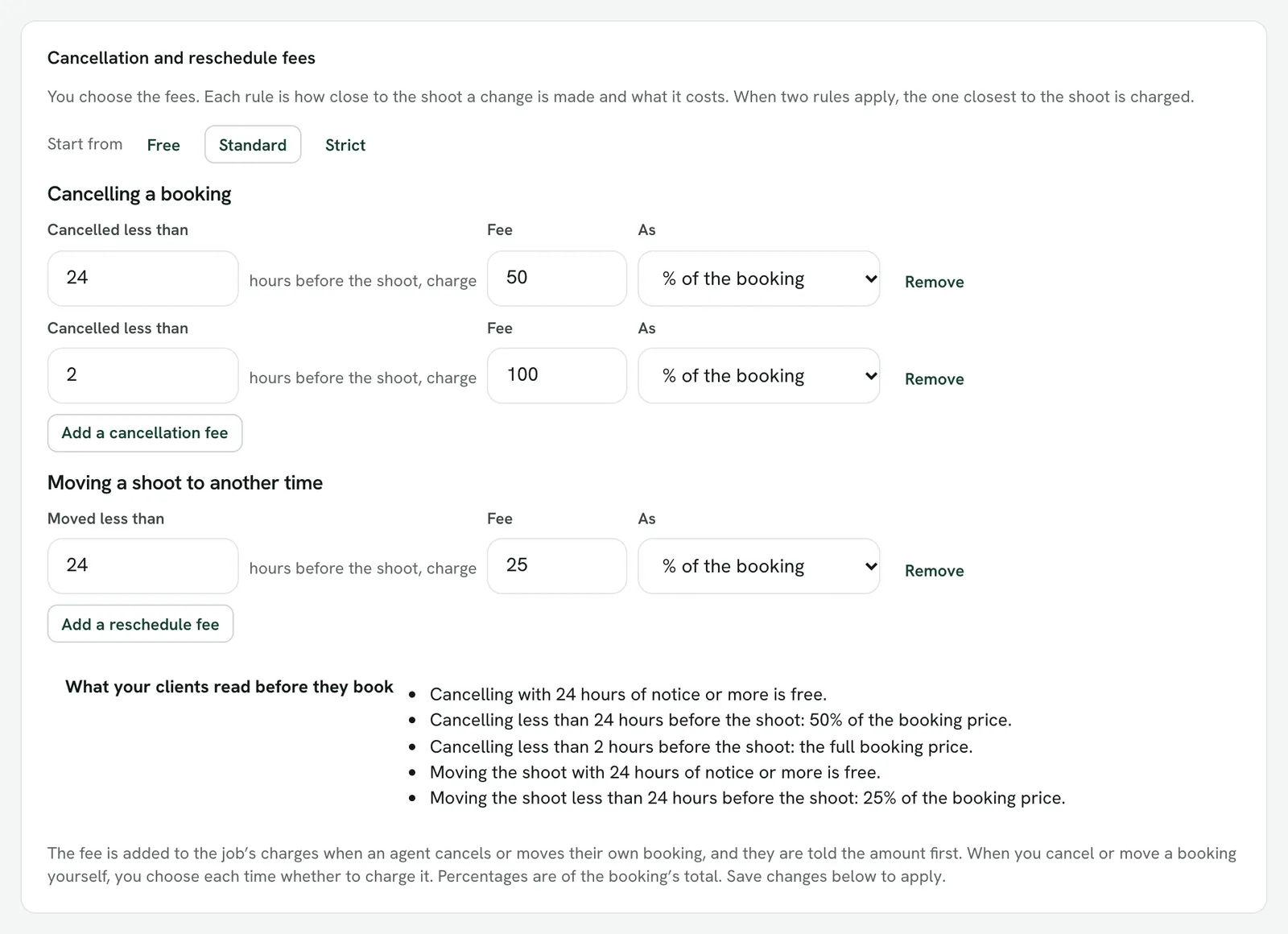
Set the rules
- Open Settings → Travel, surcharges and cancellations and find Cancellation and reschedule fees.
- Start from Free, Standard or Strict, then edit. Standard is half the booking inside 24 hours and all of it inside 2 hours; Strict is half inside 48 hours and all of it inside 24.
- Each rule is a notice period in hours before the shoot (1 to 720) and what a change inside it costs: a percentage of the booking's total, or a fixed amount in your currency.
- Up to four rules for cancelling and four for moving a shoot. When two apply, the one closest to the shoot is charged.
- Save with the rest of Settings.
What clients see
Clients see one line, Cancellation policy, on your public booking page and on an agent's booking form. It opens to the wording in the preview under the rules: only the fees you set. Nothing is shown when everything is free.
When a fee is charged
- An agent who cancels or moves their own booking is shown the amount first, and it is added to the job's charges.
- When you cancel or move a booking yourself, you choose each time whether to charge it.
- The app does not show the policy or the amount yet; the same rules still apply to changes made there.