Your prices under Money → Services and prices are the defaults. Any agency, and any single agent, can have their own.
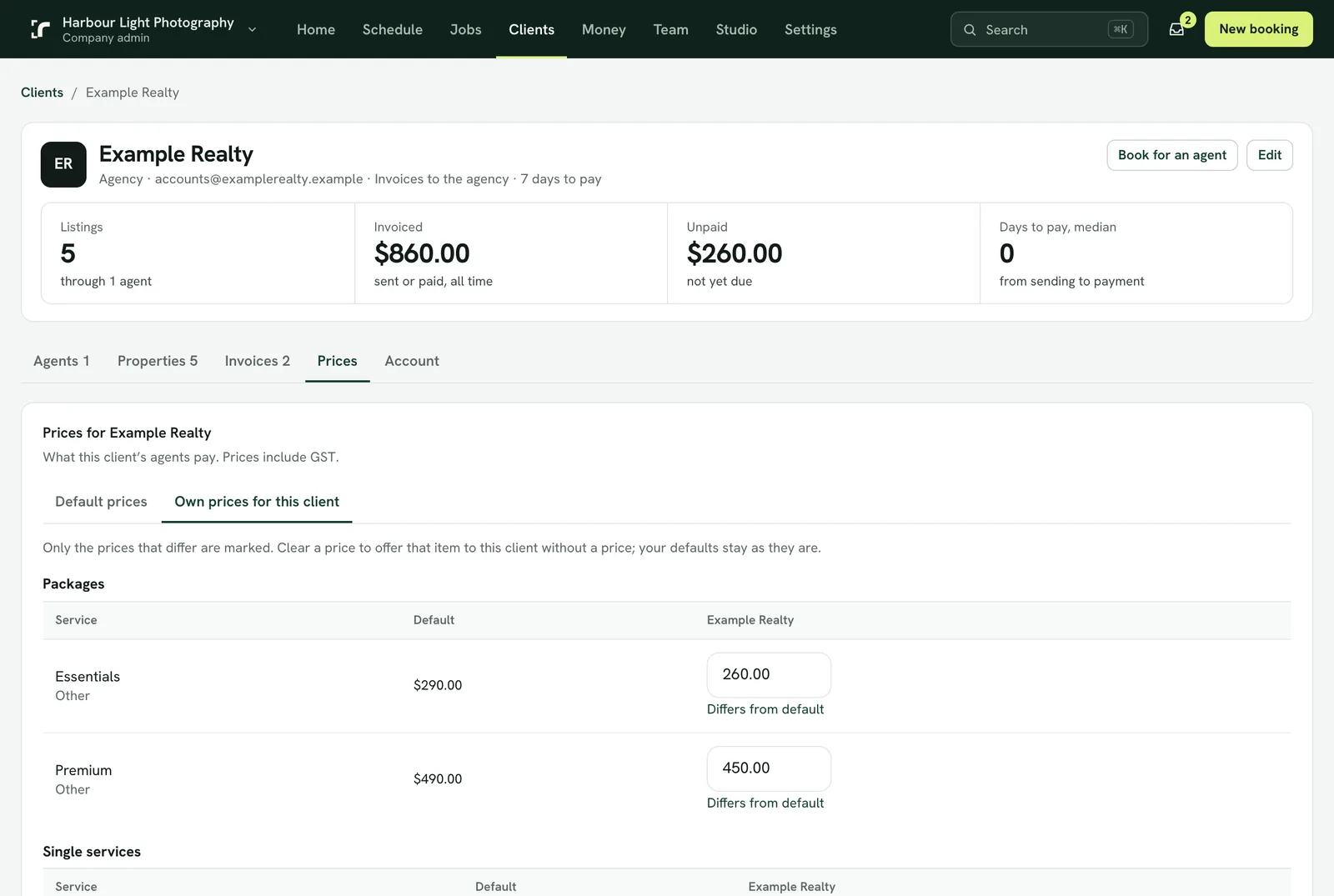
Set them
- When adding a client: Add an agency, Add an agent and Invite to the app each have Prices: Default prices / Their own prices.
- For an agency you already have: open it under Clients and go to its Prices tab.
- For one agent: press Prices on the agent's row.
- Their own prices start as a copy of your defaults. Change the ones that differ; they are marked. Clear a price to offer that service to this client without a price.
Which price a booking uses
The agent's own list first, then their agency's, then your defaults. New bookings use them at once, in the console, the portal and the app. Your public booking page always shows the default prices.
Good to know
- A client's own prices stay as they are when you change a default, so nobody's agreed price moves by surprise.
- Switching a client back to default prices keeps their list for later.
- Prices already on a booking never change: a booking is a snapshot.