When you are assigned a shoot you get an email, a notification in the app, and a calendar invite.
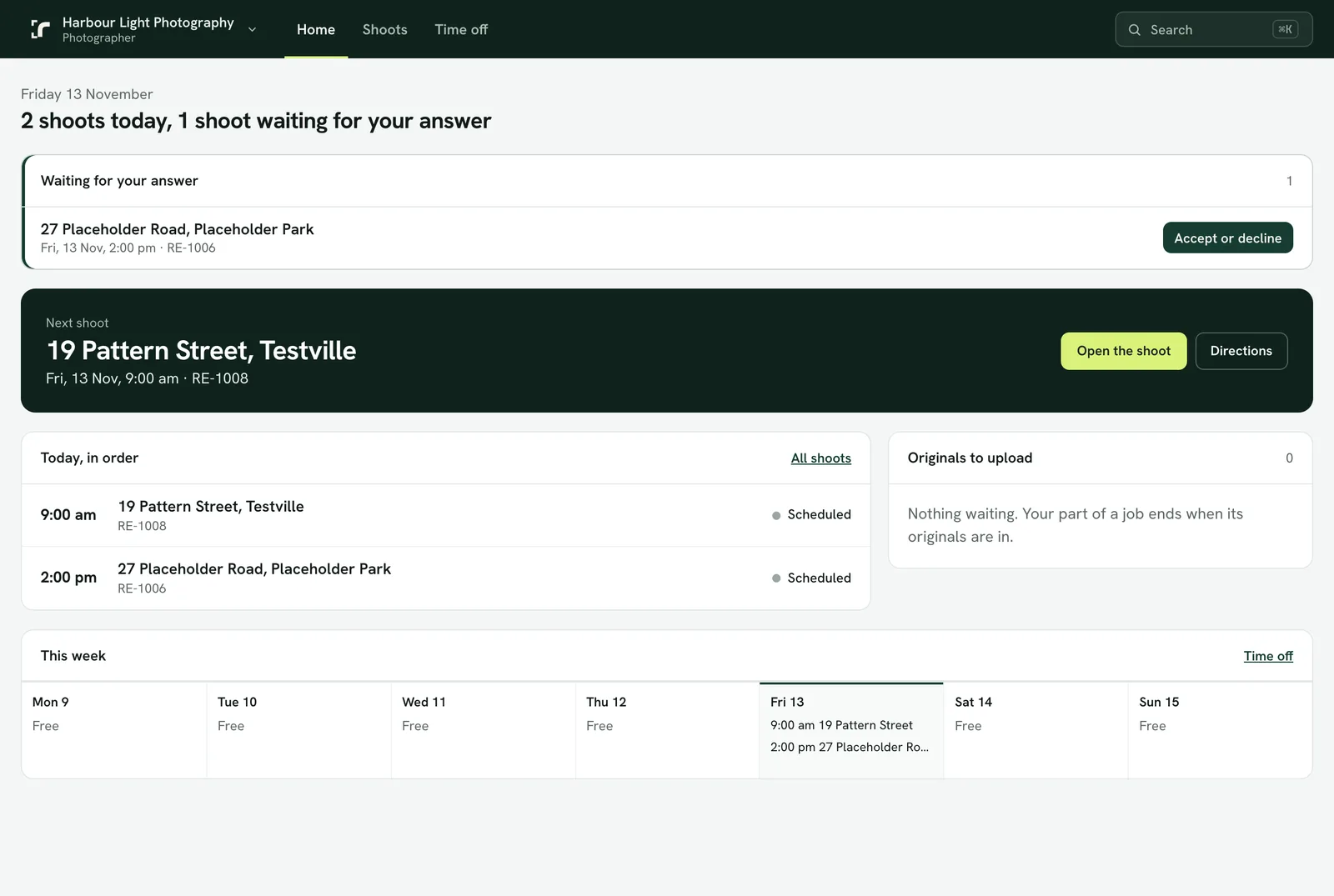
Answer in Realees
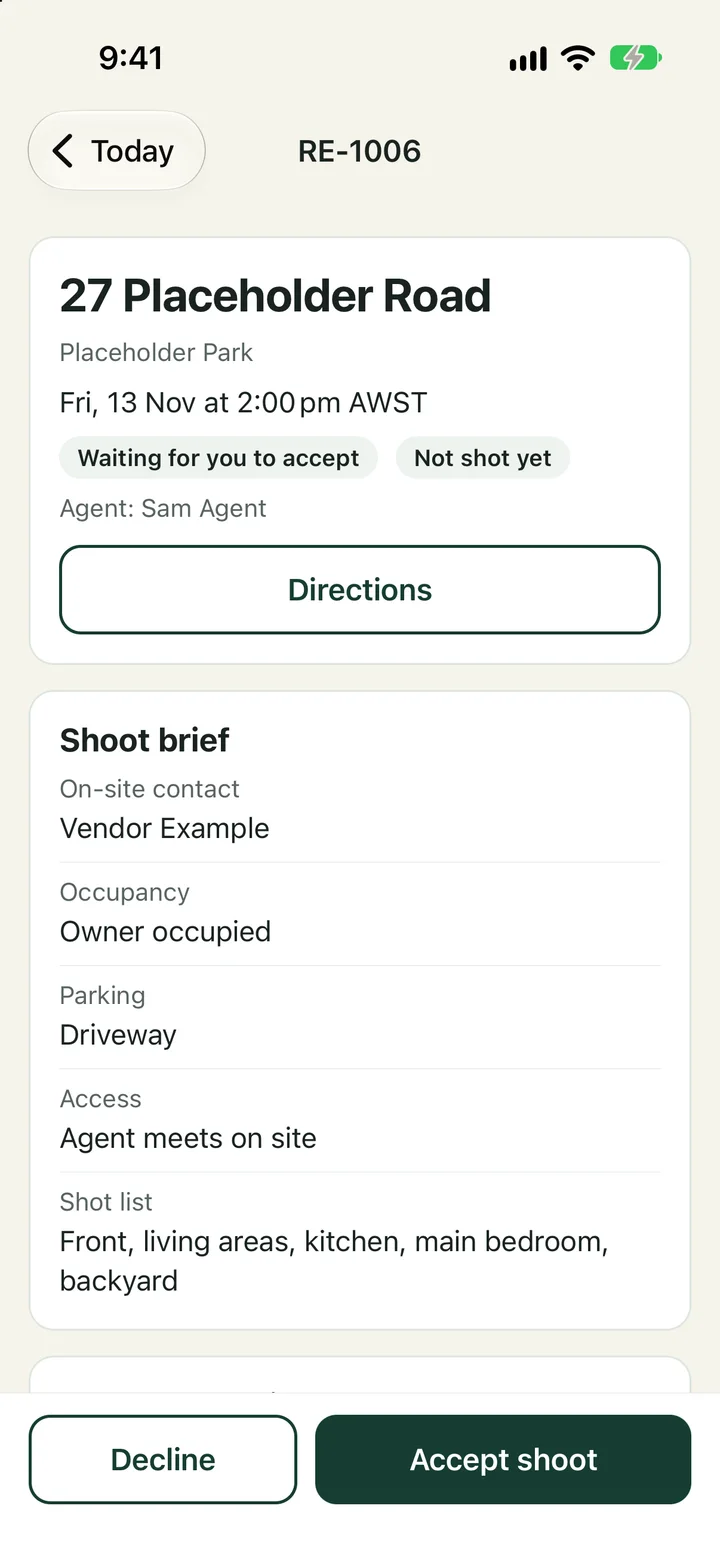
- In the app: the shoot is at the top of Today under what is waiting for your answer. Open it and tap Accept or Decline.
- In the console: Home lists shoots waiting for your answer, with Accept or decline.
- Declining asks for a short reason, so the admin can reassign it.
Not in your calendar
Pressing Accept or Decline on the invite in Google, Outlook or Apple Calendar does not reach Realees: your company would still be waiting. The calendar entry says so, and the assignment email does too. Always answer in the app or the console.
After you answer
- Accepted: the shoot is confirmed, and the agent is told.
- Declined: you get a short email that takes the shoot out of your calendar, and the admin sees it straight away. The agent is not told about a decline.
- No answer after 4 hours: you are asked once more.
- If you must pull out of a shoot you already accepted, tell your admin as early as you can. Cancelling within 24 hours of the shoot is noted on your record.