Open the app on Today: what is waiting for your answer, then your next shoot with how far off it is, then the rest of the day. Schedule has the week, the chosen day on a map and as a numbered run.
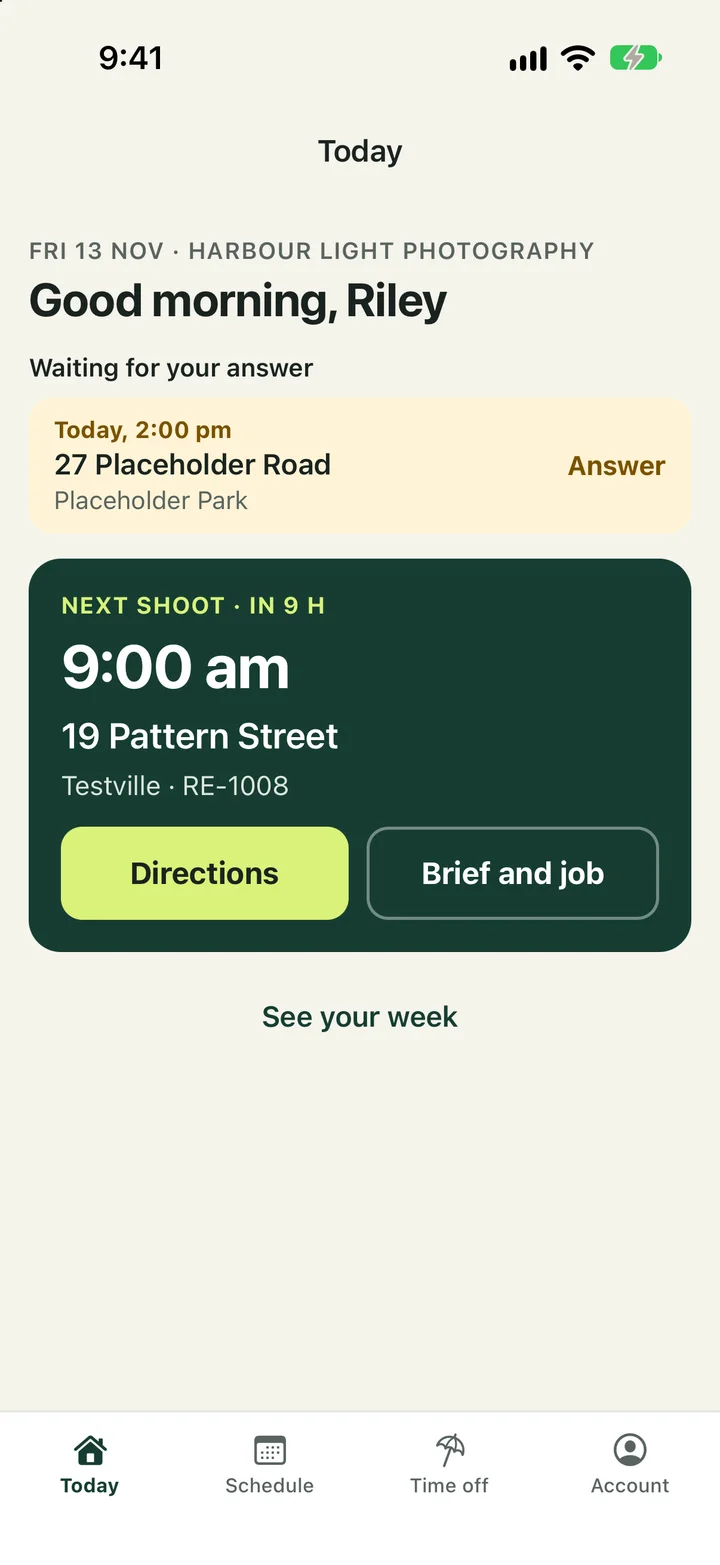
- Open a shoot for the brief, the access notes, the agent's phone number and Directions.
- Tap I'm on site when you arrive and Photography complete when you're done. The admin and the agent see it straight away.
- Out of signal, every tap is saved on the phone and sent when the connection returns. The app shows what is still waiting.
- Add private notes and on-site photos to the job, or share a note with chosen people. If the client wants an extra service, send the admin a note; you can't add services or see prices.
- Ask for your Time off from its tab, once or repeating every week or every second week. Once an admin approves it, you aren't offered or booked on those days; you're emailed when they answer.
Uploading
Camera files are never uploaded from the phone. Upload the originals from a computer: open the job in the web console and add them under Files. You can add more until the admin approves the upload. Once it is approved, your part of the job is finished and it leaves your list.