Open Settings → Booking rules and choose how your own agents book.
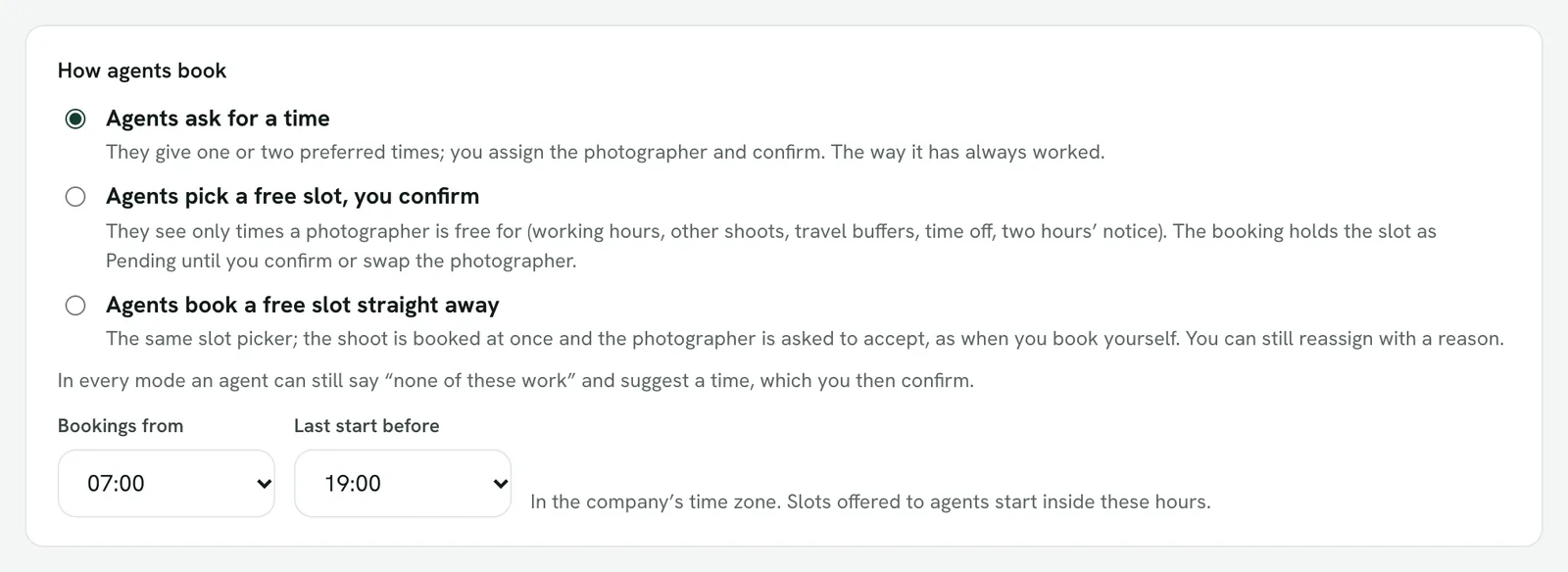
- Agents ask for a time. They give one or two preferred times; you assign the photographer and confirm.
- Agents pick a free slot, you confirm. They see only times a photographer is free for. The booking holds the slot as Pending until you confirm or swap the photographer.
- Agents book a free slot straight away. The same picker; the shoot is booked at once and the photographer is asked to accept.
In every mode an agent can still say none of the times work and suggest one. Requests from your public booking page always wait for you to confirm.
Working hours
Bookings from and Last start before set the hours free times are offered in, in your company's time zone.
What makes a time free
A photographer who covers the property, inside working hours, with no other shoot or time off, room for the drive and setup either side, the length of the shoot, and at least two hours' notice. See "Service areas and free times".
Next free shoot
The booking form, the agent's portal, the app and your booking page all show the same next free shoot, looking two weeks ahead, with one button to take it.